
Your Easy Step-by-Step Guide in 2024


As technology advances at the speed of light, images have become integral to our everyday existence.
Quality matters, whether for business presentations or safeguarding personal memories.
So, knowing how to check image resolution across various devices is important.
This guide will walk you through the steps to do just that. By the end of this article, you’ll have a thorough grasp of how to check photo resolution.
So, let’s get started.
How To Check Image Resolution: Why it’s Important
Whether it’s AI tools for artists and photographers or elevating the social media visibility of regular users, resolution matters.
Here’s why:
- Quality Control: A high-resolution image is characterized by a greater number of pixels showcasing intricate details. This results in superior-quality images. On the contrary, low-resolution images may appear blurry. This is especially true when enlarged due to the reduced pixel count.
- Printing Purposes: High-resolution images are crucial in achieving sharp, detailed prints with vibrant colors and fine details. On the other hand, low-resolution images result in decreased clarity. This makes it challenging to capture intricate aspects effectively.
- Website Performance: For web designers, finding the right balance between high-quality image resolution and fast loading times is essential. It ensures an excellent user experience and improves search engine optimization (SEO) rankings.
- Professional Requirements: Graphic designers, photographers, and marketers must carefully review and fine-tune image resolution, regardless of which image processing tools they use. They must create crisp and high-quality materials that align with industry print standards.
- Digital Storage: High-resolution images tend to occupy larger storage space compared to lower-resolution ones. By assessing the resolution of images, you can strategically manage storage by determining which images require resizing or compression to optimize storage efficiency.
In essence, checking your photo’s resolution allows you to control the quality of your images more effectively. It ensures they meet your specific needs, whether for printing, sharing online, or storing digitally.
Keep in mind low-resolution images typically have around 72 DPI, while high-resolution images are at least 300 DPI.
This higher resolution ensures excellent print quality. It effectively showcases your brand or other significant printed materials with clear and crisp images.
How to Determine Image Resolution on a Mac
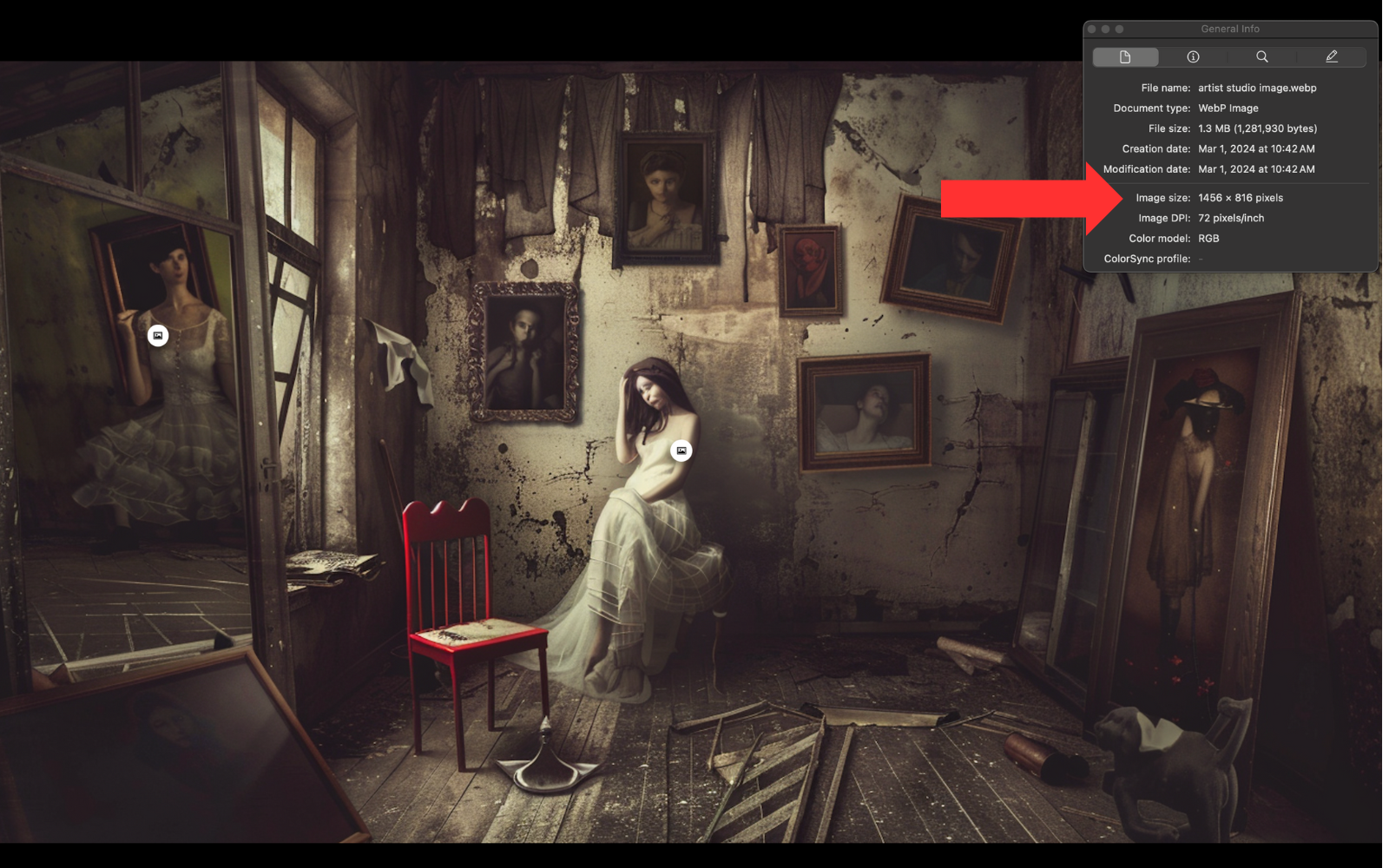
Apple’s Mac computers are popular among digital artists, photographers, and graphic designers.
One of the many advantages of using a Mac is the ease with which you can access detailed information about image files, including resolution.
Finder
Here’s how you can check the resolution of an image on a Mac using Finder:
Preview App
Another way to check an image’s resolution is by opening the image in the Preview app:
Checking Image Resolution on a PC
Verifying the image resolution on a Windows PC is quick and simple. There are several approaches to accomplish this.
Here are two commonly used methods.
Checking the Image File
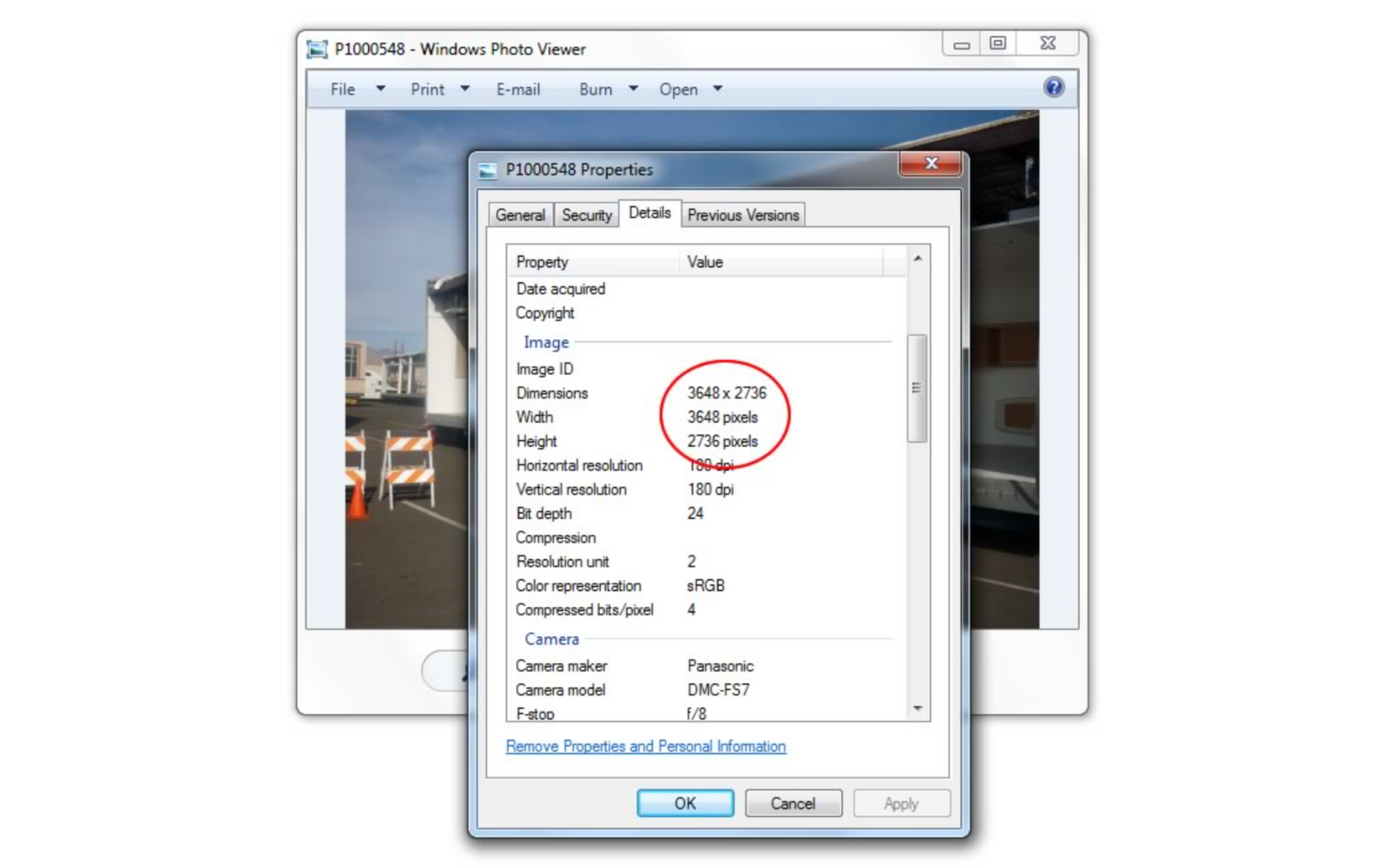
The most common way to check the resolution of an image on a PC is by looking at the file itself:
Using Microsoft Paint To Check Image Resolution
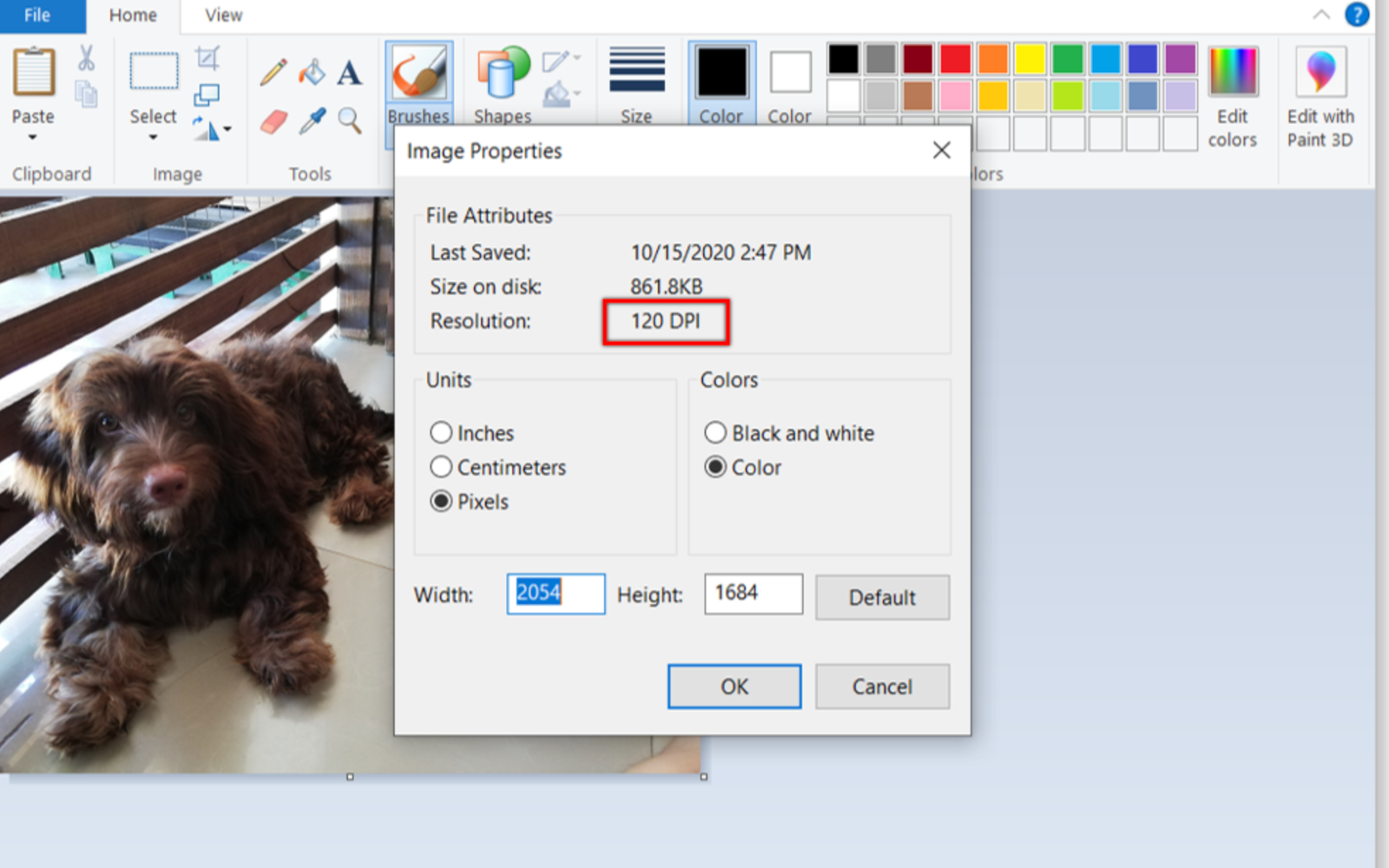
Another way to check an image’s resolution is by opening the image in the Paint application:
Steps to Check Image Resolution On an iPhone
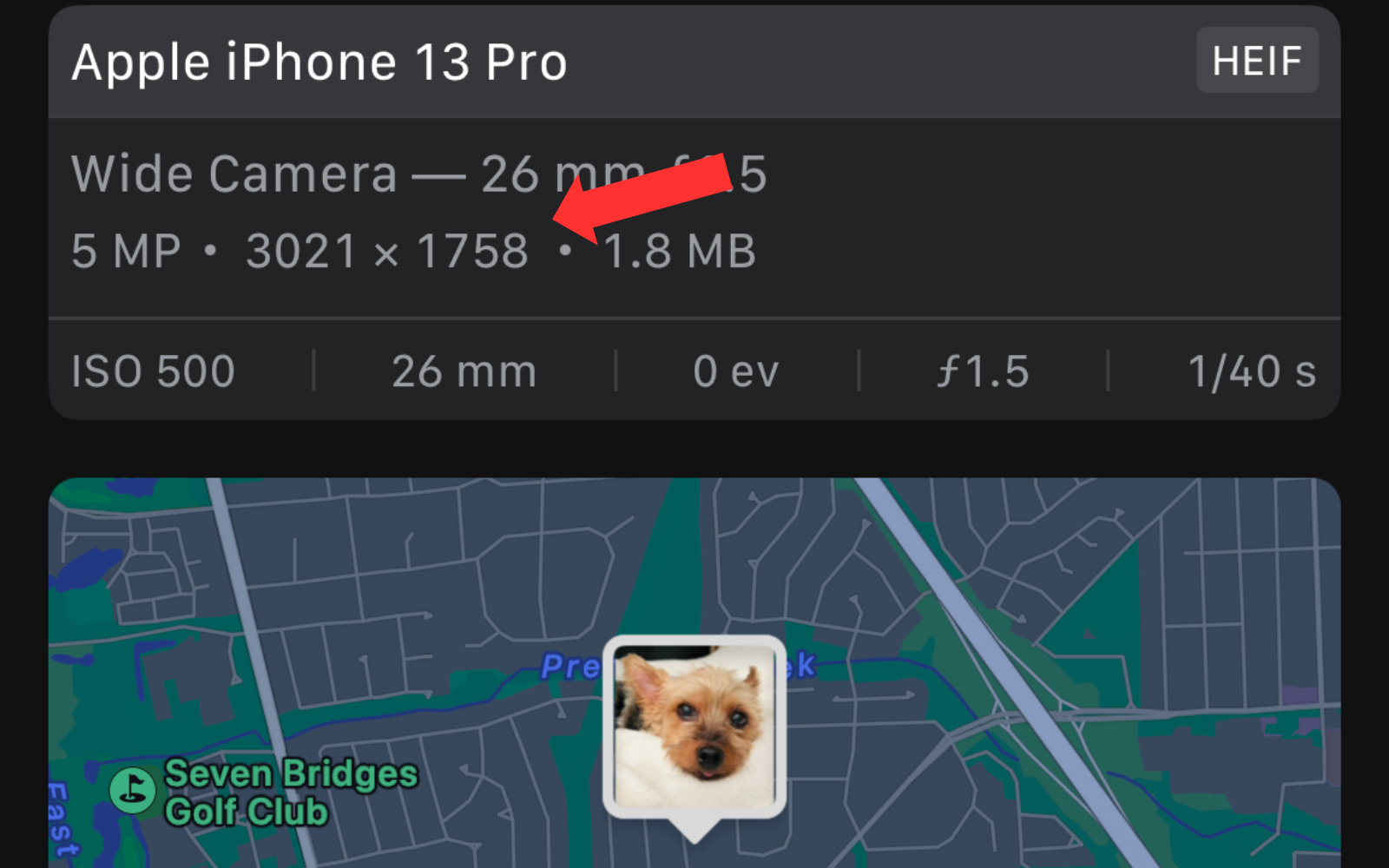
iPhones have excellent camera quality. For many, they are the main device for capturing and storing images. I can never take enough pics of my dog btw!
Here are the steps to check the resolution of these images on an iPhone:
Checking Image Resolution on Android
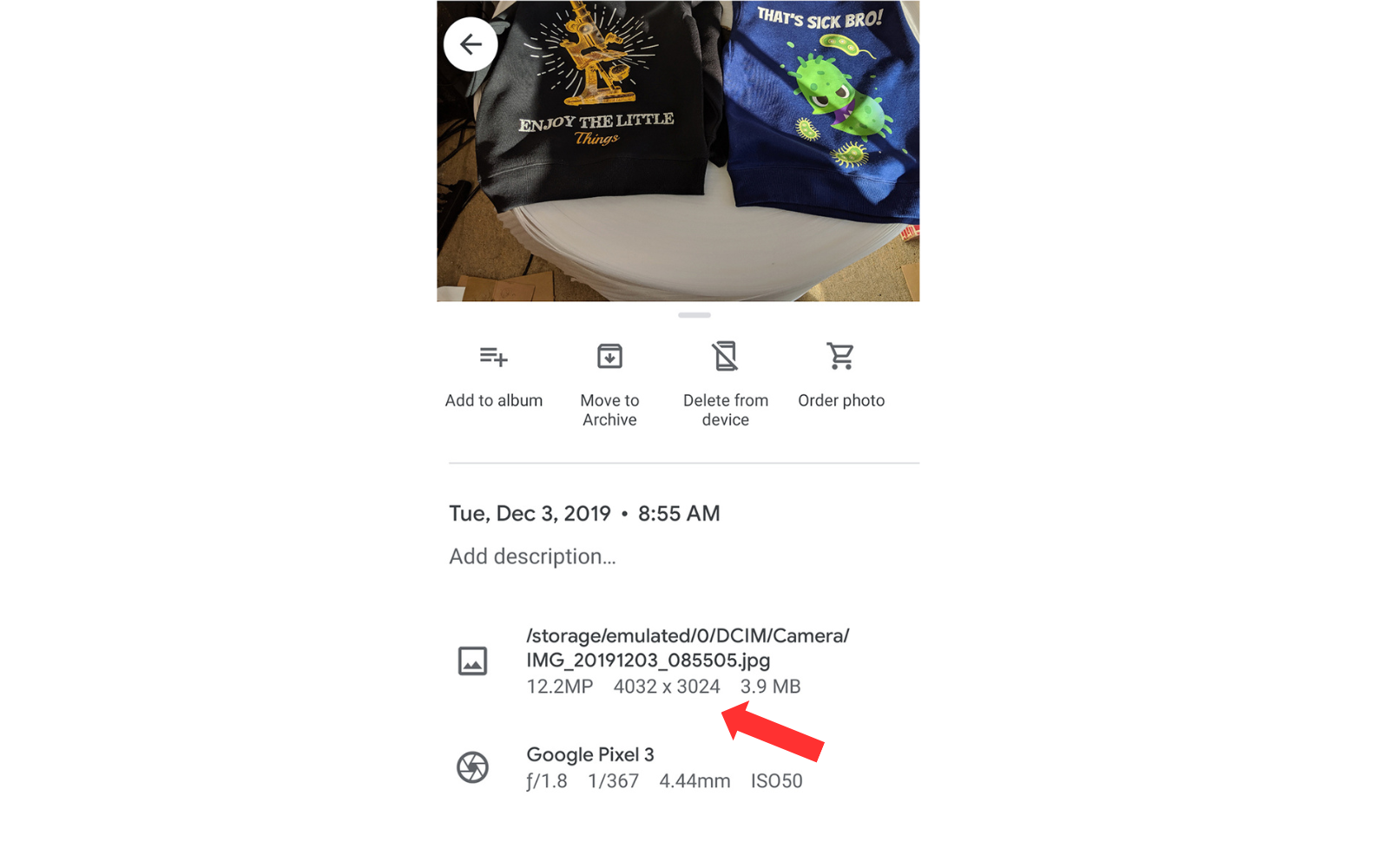
For those using Android devices, checking image resolution is simple:
Whichever method you choose, remember that the larger the pixel dimensions, the higher the resolution. Consequently, this also results in better image quality.
For instance, an image with dimensions of 3000×2000 pixels has a higher resolution than one with 1500×1000 pixels.
Bottom Line on How to Check Resolution of Image
Whether you’re a seasoned designer, photographer, or simply someone who appreciates sharing quality photos, understanding image resolution is vital in today’s digital world.
By following these steps, you can guarantee that your images uphold their quality on all devices.
As the saying goes, a picture paints a thousand words.
So, remember to always verify your image resolution to guarantee that your visuals are crisp and vivid and that you are effectively communicating your intended message.

